QR Codes for Small Businesses: What They Are, How They Work, and How to Use Them
Summary
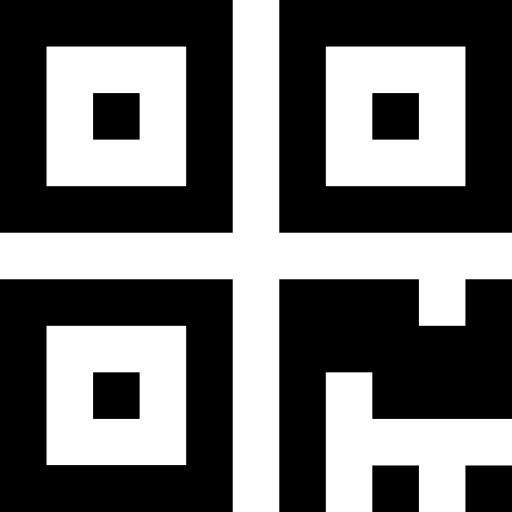
A QR code is a scannable square that links people to something digital (a website, form, menu, review page, etc.).
They’re most powerful when they support one clear action: Scan to book / scan to quote / scan to review.
QR codes are one of the simplest ways to turn offline marketing into online action. With one scan, customers can visit a page, request a quote, leave a review, or save your contact info—without typing anything.
What is a QR code?
A QR code (Quick Response code) is a 2D barcode that a phone camera can scan. When scanned, it opens a link or action on the phone—usually a webpage.
Think of it as a shortcut: instead of typing a URL, someone scans and goes straight there.
How QR codes work (high level)
- You create a QR code that encodes a destination (usually a URL).
- A customer opens their phone camera (or QR scanner).
- The phone recognizes the code and shows a prompt.
- They tap—and instantly land on your page.
That’s it. No app required for most modern phones.
Where small businesses use QR codes
On postcards and direct mail
Great uses: - “Scan to request a quote” - “Scan to book an appointment” - “Scan to see before/after photos” - “Scan to claim an offer”
Why it works: people are already holding the postcard—QR removes friction.
On door hangers
Perfect for: - booking forms - new customer specials - neighborhood-only offers
Tip: Always include a phone number too. Some people still prefer calling.
On yard signs
Works well for: - “Scan to get pricing” - “Scan to schedule” - “Scan to see reviews”
Tip: Signs need larger QR codes and high contrast since people may scan from a distance.
On business cards
One of the best upgrades you can make: - link to your “Book Now” page - link to your Google reviews page - link to a portfolio/gallery
In-store or at the jobsite
Examples: - restaurants: menus + online ordering - contractors: “See our work” gallery - salons: booking page - gyms: free trial signup
What to link to (best destinations)
QR codes perform best when the scan leads to something simple and fast:
- a short quote form
- an appointment booking page
- a review page
- a single offer landing page
- a menu or services list
- a contact card (vCard) download page
Keep it “one scan → one action.” Avoid sending people to a generic homepage if you can.
Quick tips so your QR codes actually get scanned
- Add a label: “Scan to book” (don’t make people guess)
- Use strong contrast (dark code on light background)
- Leave whitespace (“quiet zone”) around the QR code
- Test it on multiple phones before printing
- Don’t make it tiny—especially on signs
Note for designers (file formats + colors)
If you’re designing postcards, signs, or flyers, formats matter.
Our QR tool can generate: - PNG (great for quick use and most design tools) - SVG (perfect for print and scaling cleanly)
You can also create QR codes in finite colors (useful for matching brand colors while keeping scan reliability).
https://www.neighborhoodpostcards.com/tools/qr
Make QR codes useful by giving customers one clear reason to scan.
Start simple:
- Step 1Send scanners to a specific page, offer, or booking step
- Step 2Make the QR code large enough and explain what happens next
- Step 3Track scans so the next campaign is easier to improve
Share your business type and target area, and we can suggest a focused next campaign.
Explore Neighborhood Postcards