Direct Mail Reporting That Execs Actually Use: Spend, Coverage, and ROI Across Regions
Summary
Best for: Exec team + finance + growth leaders managing multi-region marketing
Fastest win: Standardize campaign naming + add one measurement method (unique phone or landing page)
Simple rule: If it can’t roll up by region and time, it can’t guide decisions
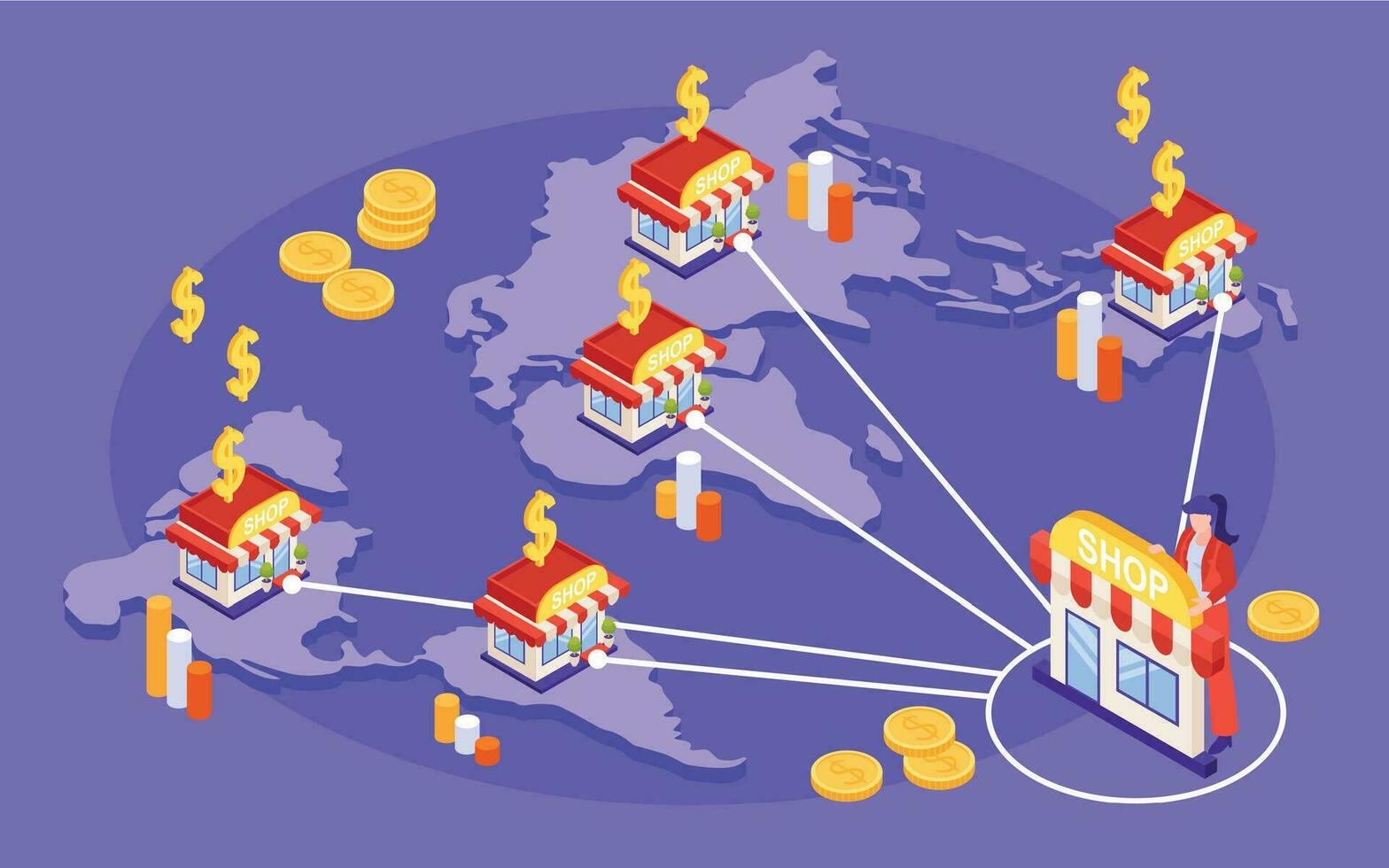
When you’re running direct mail across multiple branches or regions, the hardest part isn’t sending postcards — it’s answering leadership’s questions quickly and confidently:
- Where did we spend money?
- Where did we mail?
- What did we get back?
This article is for executives, finance, and growth teams who want reporting that’s clean, consistent, and easy to use across a distributed organization.
The 3 dashboards exec teams care about
If you can deliver these three views, you’ll cover 90% of what leadership needs to make decisions.
1) Spend by region / branch
This is the “money view.” It should answer:
- Which regions are investing consistently?
- Are branches staying within budget?
- Is spend ramping up or down (month-over-month, quarter-over-quarter)?
-
Who’s spending outside approved programs?
- Must-have filters: region, branch, date range, product type (EDDM/First Class), campaign type
- Must-have groupings: region → branch → campaign
- Minimum outputs: total spend, pieces mailed, cost per piece, spend trend line
Finance loves predictability. A simple “budget vs actual” view by region prevents surprises and reduces approval friction.
2) Coverage maps (where you’ve mailed)
This is the “market presence view.” It should show:
- Territories covered vs untouched areas
- Overlap between branches (if applicable)
- Recency of coverage (last mailed date)
- Frequency of touches (how often a neighborhood sees you)
| Map view | What it shows | Why it matters |
|---|---|---|
| Territory overlay | Branch boundaries | Prevent overlap and protect local markets |
| Heatmap by date | New vs old mail zones | Avoid “we mailed there last week” mistakes |
| Frequency map | Touch count in last 90/180 days | Builds consistent presence without over-mailing |
| Exclusion overlay | customers / DNM / suppression | Proves compliance and avoids waste |
Coverage maps reduce internal arguments fast. Everyone can see what happened and what’s planned next.
3) Results tracking (calls, forms, booked jobs)
This is the “did it work?” view. It should answer:
- How many leads did mail generate?
- What’s the cost per lead, per booked job, and per revenue dollar?
- Which regions/campaigns are outperforming?
-
Are results improving with repeat touches?
- Lead indicators: calls, web forms, chats, quote requests
- Down-funnel indicators: booked jobs, closed deals, revenue, repeat customers
- Time window: show results over 7/14/30/60 days (mail has lag)
Don’t wait for perfect attribution. Start with minimum viable measurement (below), then improve over time.
Standardize campaign naming for clean rollups
Reporting falls apart when campaign naming is inconsistent. The fix is boring—and incredibly powerful.
A naming convention that works at scale
Use a consistent pattern:
REGION - BRANCH - CAMPAIGN_TYPE - OFFER - AUDIENCE - YYYY-MM
Examples:
-
NORTHEAST - BOSTON-01 - POSTCARD - SPRING-CLEANUP - RESIDENTIAL - 2026-03 -
SOUTHEAST - MIAMI-02 - EDDM - ROOF-INSPECTION - SATURATION - 2026-04 -
MIDWEST - CHICAGO-05 - POSTCARD - DRAIN-CLEANING - NEAR-JOBS - 2026-01
Why naming matters
- Cleaner dashboards — simple rollups by region and month
- Faster comparisons — spot what’s working without deep dives
- Fewer reporting gaps — less manual cleanup
- Easier governance — enforce approved offers and messaging
If branches can type anything they want, your dashboards will eventually become unusable.
Minimum viable measurement for direct mail (start here)
You don’t need a full attribution model to measure direct mail. You need one reliable signal per campaign.
Three simple measurement options
| Method | Best for | What it measures | Setup effort |
|---|---|---|---|
| Unique phone number | Service businesses (HVAC, plumbing, roofing) | Calls + call quality | Low |
| Unique landing page | Any business with web leads | Visits + form submissions | Low–Medium |
| QR code to landing page | Visual offers + mobile-friendly flow | Scans + intent | Low |
Practical tips that improve accuracy
- Use one unique element per campaign — phone or landing page or QR
- Keep the landing page dead simple — headline, proof, offer, form/call button
- Track booked jobs, not just leads — connect results to revenue over time
- Expect lag — report results across 30–60 days, not only the first week
- Repeat the winners — the best measurement is what you can use consistently
Executives don’t need perfect attribution to make decisions—just consistent measurement that rolls up cleanly.
Make direct mail easier to manage by showing spend, coverage, and results in one clear view.
Start simple:
- Step 1Standardize campaign names before reports get messy
- Step 2Show where money was spent and where mail actually landed
- Step 3Connect campaign activity to calls, forms, booked jobs, or revenue
Share your business type and target area, and we can suggest a focused next campaign.
Explore Neighborhood Postcards